

Screen · for GOE User, GOE Admin
Dashboard (the cycle hub)
The MDA’s position against its ceiling, the deadline, blockers and the checklist.
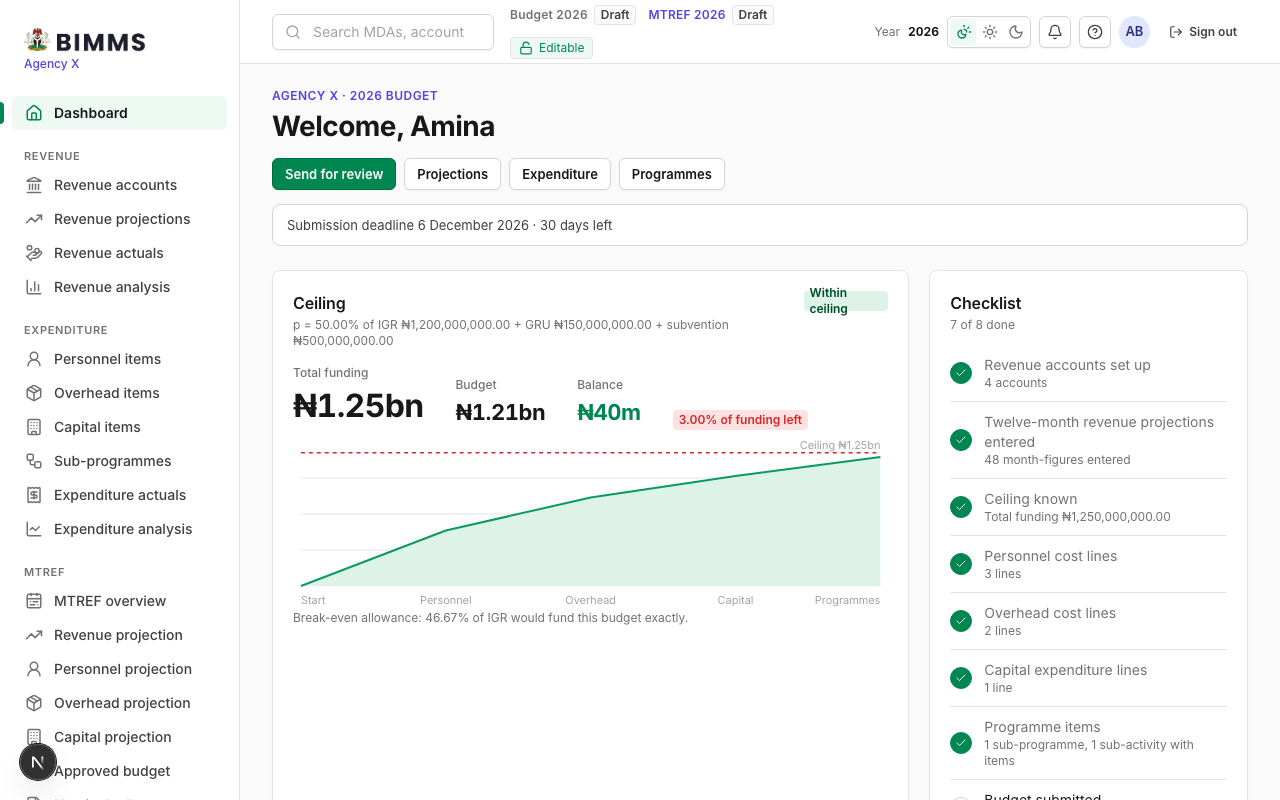
The first screen after sign-in. The ceiling card shows total funding, the budget so far and the headroom, with the figures that make up the ceiling in the caption. The chart compares budget and ceiling. The checklist lists the exercise’s steps in order and the next one is the primary button.
Buttons
- Next step: opens the first unfinished step.
- Submit revenue projections and Submit budget (GOE Admin): lock the figures and inform the Budget Office.
- Year switcher (top bar): work on another open year.